Plant weight can be captured one of two ways. In the traditional way, one weight measurement is associated with one plant (single mode). However, a quicker way is to distribute one weight measurement among multiple plants (multi mode).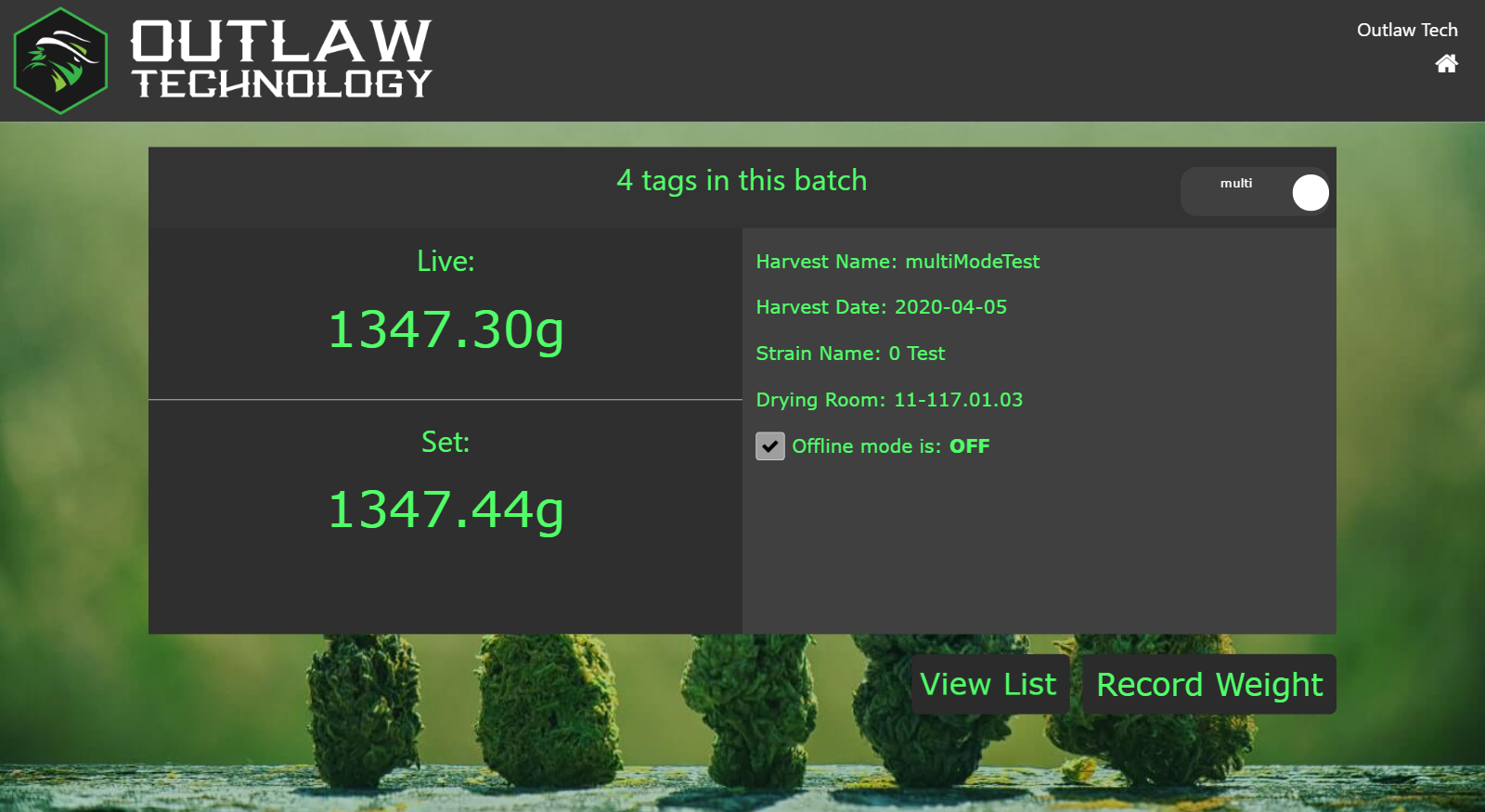 In multi mode, multiple plants will be placed on the scale at the same time; this bulk weight is then locked in normally. The tags of these plants are all scanned and the top bar displays the number of tags scanned. Tapping the Record Weight button will harvest all plants at once.
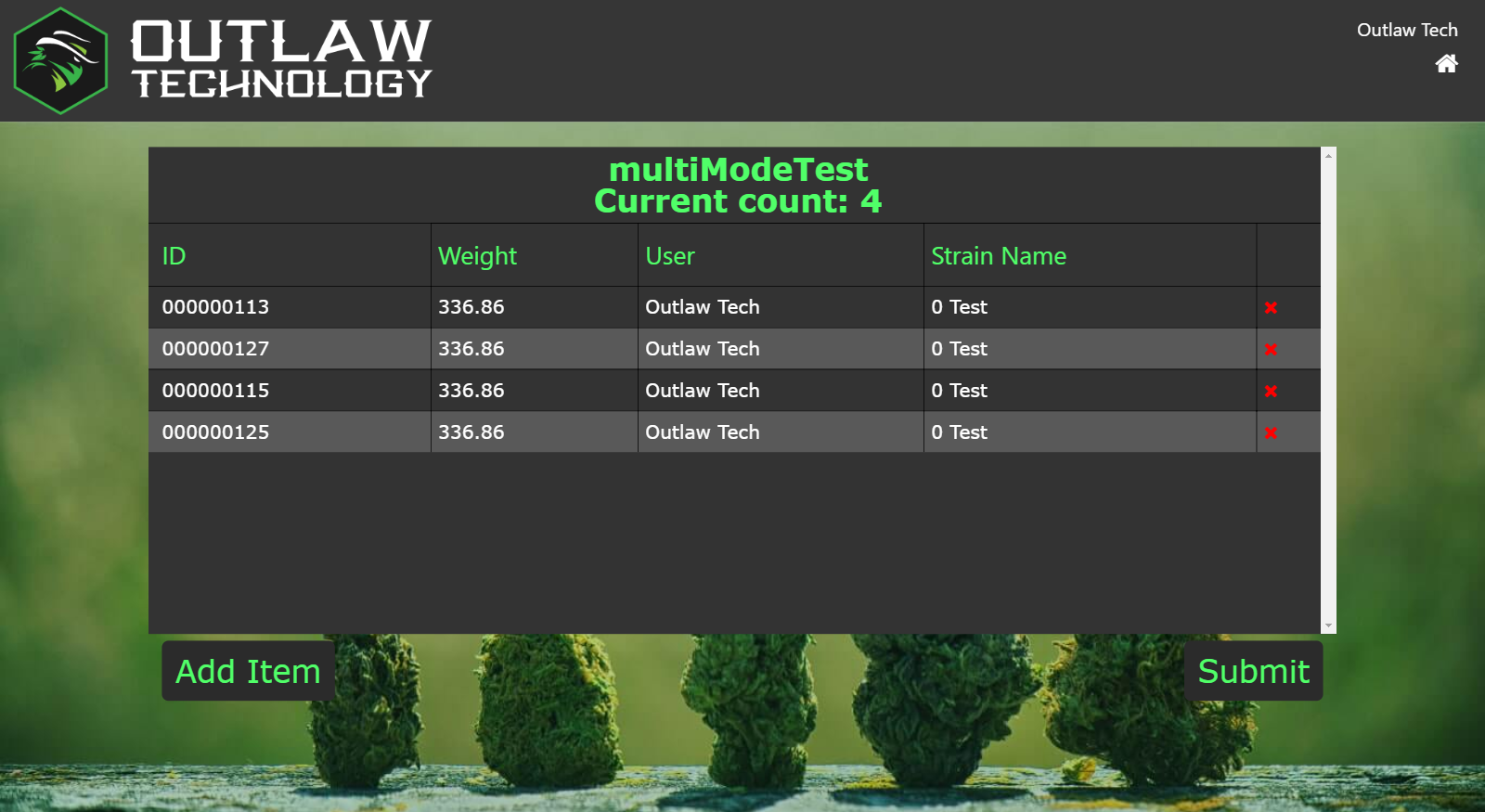 After the Record Weight button is tapped, the "Set" weight is divided by the number of plants scanned and the resulting quotient is assigned to each plant.
This mode is very quick but may not meet your SOPs or state regulations. Only use this mode with proper approval from managers and state compliance officers.
Single Mode
|
Multi Mode
|
Key differences
|
- One weight is recorded per plant
- One plant tag is scanned
- This one weight is directly associated to the one plant
- In this mode, only one plant will be on the scale at a time
|
- One weight is recorded for multiple plants, creating a 'bulk weight'
- Multiple plant tags are scanned individually, one right after another, to create a list matching the plants currently being weighed
- In this mode, multiple plants will be on the scale at the same time
- The weight measurement is automatically divided by the number of plants and the resulting quotient is assigned to each plant
|
Pros and Cons
|
- PROS
- Know the exact weight of each plant
- Simpler/easier procedure to follow
- All states accept this method
- CONS
|
- PROS
- CONS
- The recorded weight of each individual plant is an average
- Your state may not find this method acceptable
- Your organization's SOPs may not allow this method
|
|
Example - for a 120 plant harvest
|
- The tag of one plant is removed
- This one plant is placed on the scale
- The weight of this one plant is recorded on the touchscreen
- Using the scanner, the tag of this one plant is recorded on the touchscreen
- Record Weight is tapped on the touchscreen
- This process is repeated 120 times
|
- The tags of multiple plants are removed (e.g., ten)
- These plants are all placed on the scale at the same time
- This bulk weight is recorded on the touchscreen (e.g., 4,000 grams)
- Using the scanner, all tags are scanned, one after the other
- When Record Weight is tapped on the touchscreen, the bulk weight is divided equally among all the tags.
- In this example each tag will be assigned 400 grams
- This process is repeated only 12 times (assuming a batch size of 10)
|
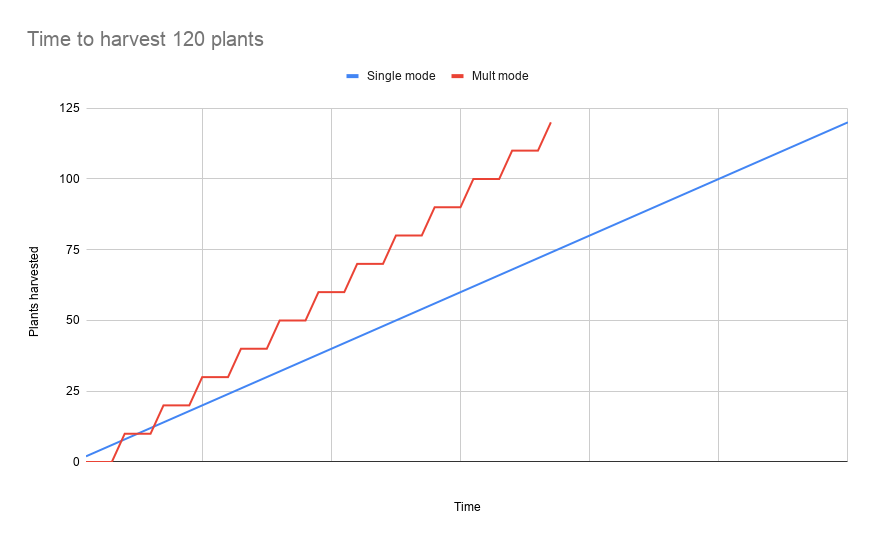
Speed Example
(Data based on real world observations)
Comments
0 comments
Please sign in to leave a comment.